
THE SHORT ANSWER
Before comparing creator metrics, define four things: platform and format, numerator, denominator, observation window, and whether traffic is organic, paid or mixed. Engagement rate may use followers, reach or views as its denominator, while view-count rules differ by context. Matching labels do not guarantee matching definitions; explain incomparable metrics side by side instead of forcing a rank.
Label the denominator for every rate
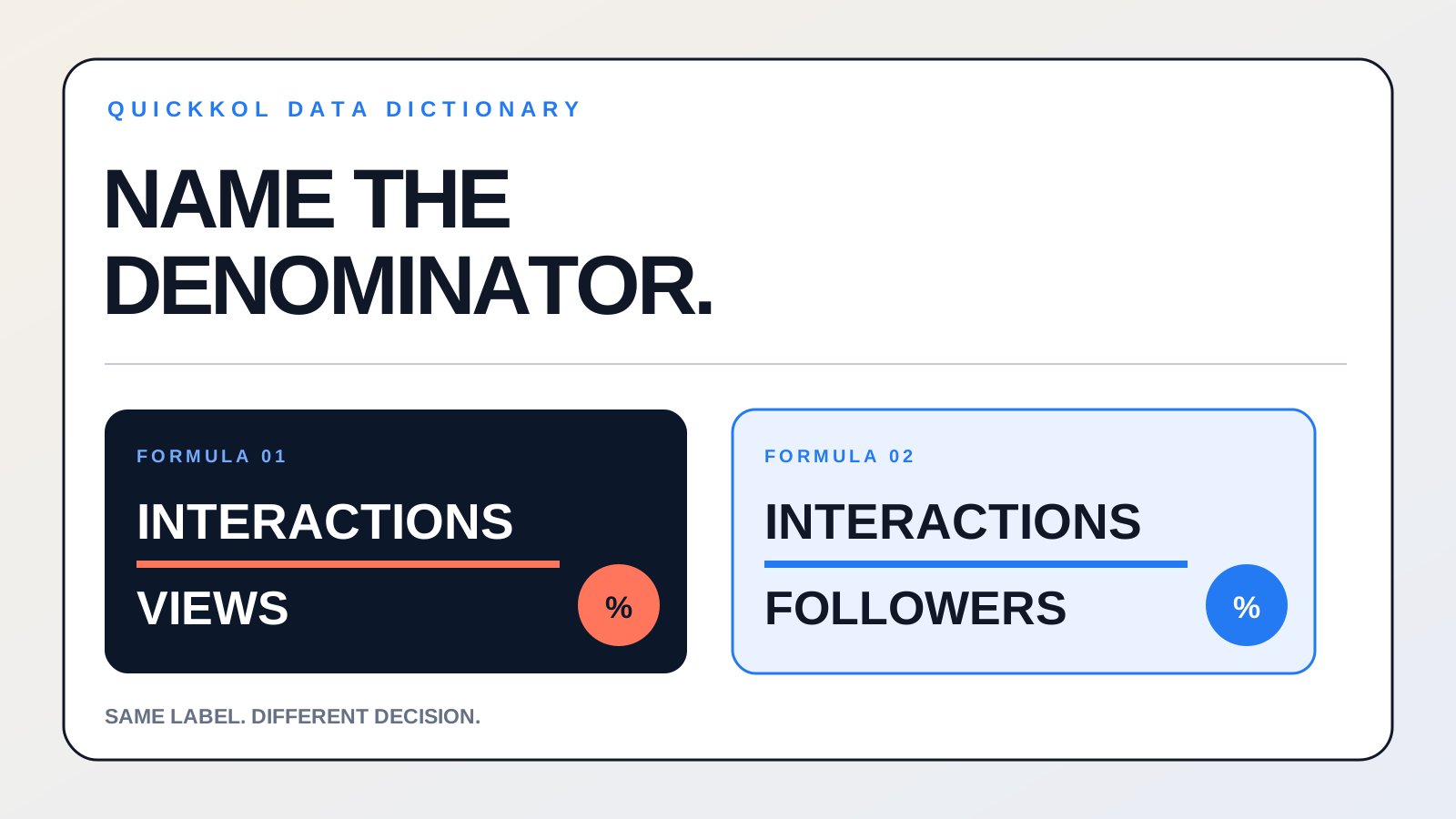
Engagement rate can divide interactions by followers, reach or views. Each answers a different question: follower-based rate describes the account base, reach-based rate describes exposed people, and view-based rate describes response after consumption.
Show the raw interaction count beside the rate and put the formula in the field name. Do not rank a 4% follower-based rate against a 6% view-based rate in the same column.
Keep platform and format with viewing metrics
Short video, long video, live streams and static posts cannot share one viewing threshold. Even within a platform, publication time, duration, traffic source and distribution scope affect the result.
Keep the platform, format, duration and extraction time, then compare the median and range of similar content. Cross-platform reports should show separate trends instead of manufacturing one universal view score.
Separate organic and paid distribution
Brand-partner access may expose both organic and paid performance. Separate the content’s organic response from additional reach purchased through media so the next decision can distinguish creative, creator and distribution effects.
When only blended data is available, label it as mixed traffic and record the amplification dates and cost. Do not use amplified total views as the creator’s organic baseline.
Maintain a team metric dictionary
For each common field, save the name, formula, source, update schedule and situations where comparison is invalid. Map new platform fields to the dictionary before they enter a dashboard.
QuickKOL campaign records should preserve raw values alongside calculated results so the team can recompute history after a formula change. Give one owner responsibility for the dictionary and disclose definition changes in reporting.
Use a four-column dictionary to remove metric ambiguity
Every metric needs at least four fields: platform and format, numerator, denominator and data window. For example, “engagement rate by views = likes + comments + saves + shares divided by views,” while follower-based engagement uses followers as the denominator. Add an organic, paid or mixed traffic label to explain amplified results. YouTube notes that CTR should be interpreted beside impressions, traffic source and audience scope; comparing CTR alone can produce the wrong conclusion.
For example, content A has 1,200 interactions and 20,000 views, giving a 6% view-based engagement rate. Content B has 1,500 interactions and 50,000 views, or 3%. A has the higher rate while B has more total interaction, and the results support different decisions. Show raw counts and formulas instead of leaving only colored arrows.
Record permissions, traffic type and update timing
YouTube brand partner access can share video-level views, average view duration, audience information, organic and paid splits, and support partnership amplification. Access to more fields does not make them directly comparable across platforms; preserve the source definition and extraction time. In GA4, modeled key events add conversions that cannot be directly observed, and attributed data may continue updating for up to 12 days after an event is recorded, so final reports need an extraction date.
A practical snapshot schedule is 24–48 hours, seven days and the final reporting window. The first two support exception detection and optimization, while the final point supports closeout and review. These are team operating rules rather than universal platform standards.
Common metric-definition dictionary
Compare matching labels only when formula, platform and window also match.
| Metric | Formula or source | Required context |
|---|---|---|
| Engagement by views | Interactions ÷ views | Format, traffic type |
| Engagement by followers | Interactions ÷ followers | Follower observation date |
| CTR | Clicks ÷ impressions | Traffic source, impression scope |
| Average view duration | Platform analytics field | Video length, data window |
PRACTICAL TOOL
Engagement denominator calculator
Enter data from one piece of content to compare follower-based and view-based engagement.
Sources and further reading
- 01YouTube Help: Decoding CTR & impressions
- 02YouTube Help: Sharing brand partner access
- 03Google Analytics Help: About modeled key events
External pages can change. Recheck platform rules, contracts and local law before launch.